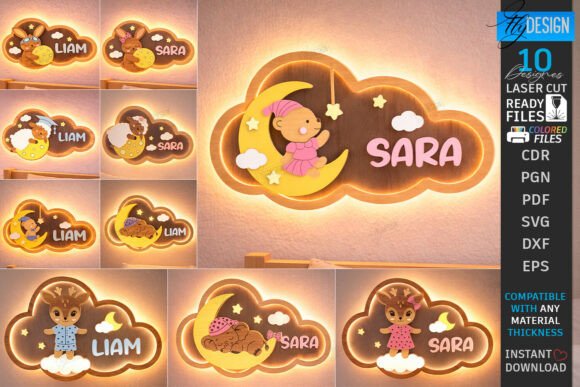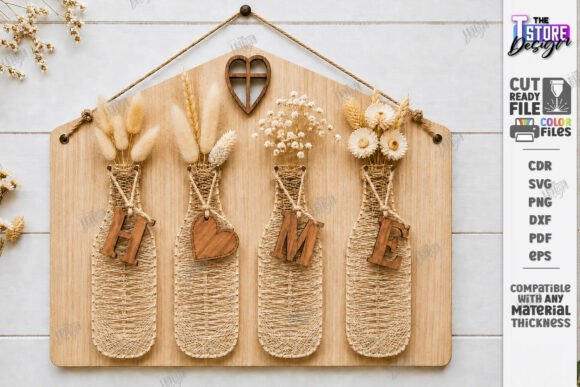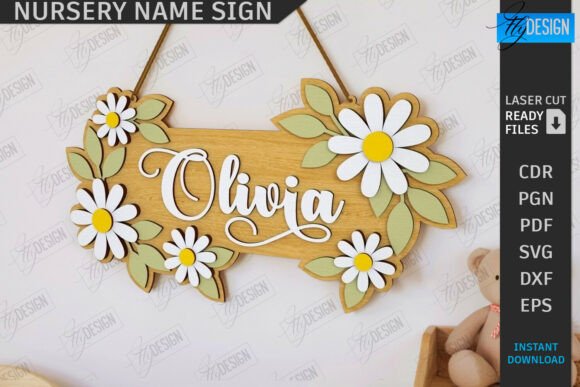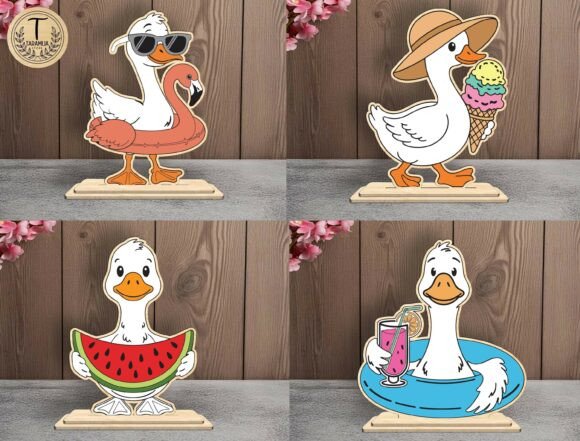
Kids Room Name Sign Laser Cut CNC File: A Practical Guide for Flawless Nursery Decor
Creating a personalized nursery is one of the most rewarding projects for parents and crafters alike. Among the trending decor items, the Kids Room Name Sign Laser Cut CNC File stands out as a versatile and impactful choice. Whether you are a hobbyist with a home laser cutter or a small business owner producing custom gifts, understanding the nuances of these digital assets is crucial. Many creators rush into cutting without fully evaluating file compatibility or design complexity, leading to wasted materials and frustration. This guide aims to help you navigate the process smoothly, ensuring your final product—be it a rainbow fairy theme or a sports-inspired door hanger—is both beautiful and structurally sound.
Understanding the Digital Asset
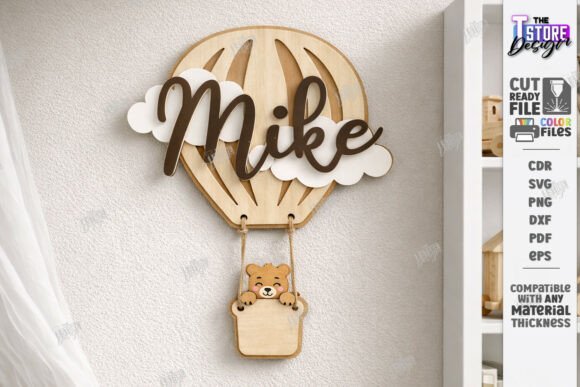
At its core, a laser cut name sign file is a vector-based digital blueprint. Unlike standard images, vector files like SVG, EPS, and DXF contain mathematical paths that tell your machine exactly where to cut and where to engrave. For a Kids Room Name Sign Laser Cut Personalized Nursery Wall Decor Design, precision is non-negotiable. These files often feature intricate details, such as the curves of a hot air balloon, the fins of a whale, or the wheels of a racing car.
The value of purchasing a high-quality digital pack lies in its versatility. A robust archive typically includes SVG, EPS, PNG, PDF, and DXF formats. This variety ensures compatibility with various software ecosystems, from Glowforge to industrial CNC routers. However, having multiple formats does not guarantee success if you do not know which one to choose for your specific workflow.
Common Pitfalls in File Selection and Compatibility
One of the most frequent mistakes beginners make is assuming all vector files behave identically across different software platforms. This misconception can severely affect the usability and quality of your final cut. For instance, many users prefer Lightburn for its powerful features, but they often encounter issues when importing SVG files directly. SVGs can sometimes distort dimensions or alter node positions during import, leading to misaligned layers in 3D layered name plates.
The Correction: If you are working with Lightburn, it is highly advisable to use the DXF file format instead of SVG. DXF files tend to maintain dimensional accuracy better in this environment, ensuring that your cut lines remain true to the original design. Always verify the scale immediately after importing. A discrepancy of even a few millimeters can ruin the fit of a multi-layered sign, causing gaps or overlaps that look unprofessional.
Misinterpreting Cut and Engrave Lines
Another critical area where errors occur is in the interpretation of line colors. In professional laser cutting files, color coding is the universal language for machine instructions. Typically, a RED line indicates a cut path, while a BLACK line signifies an engrave or score path. Overlooking this distinction can lead to catastrophic results. Imagine setting your machine to cut along a black line intended for engraving; you might slice through your material unnecessarily, weakening the structure of the sign or ruining the aesthetic of a delicate woodland theme.
Practical Advice: Before sending any job to your laser cutter, always perform a visual check in your software. Ensure that the red lines correspond to the outer edges and internal cutouts, while black lines are set to lower power settings for surface marking. If your software allows, simulate the job to confirm the toolpath. This simple step saves material and prevents the disappointment of a ruined project.
Overlooking Material Thickness and Layering
When creating 3D layered name plates, such as those featuring trains or whales, the thickness of your material plays a pivotal role. A common oversight is downloading a file designed for 3mm plywood and attempting to use it with 6mm acrylic without adjusting the design. The interlocking tabs and spacing between layers are calculated based on specific material dimensions. Using the wrong thickness can result in pieces that do not fit together, requiring excessive force that may crack the material or leave visible gaps.
Better Approach: Always check the file description for recommended material thicknesses. If you plan to use a different material, look for designs that offer scalable components or be prepared to adjust the tab sizes in your vector software. For complex designs like the Glowforge Ready Cut Files 3D Layered Name Plate, consider doing a test cut on scrap material to verify the fit before committing to your final piece.
Choosing the Right Theme for the Space
While technical accuracy is vital, the aesthetic choice is equally important. The market offers a wide array of themes, from Rainbow Fairy to Sports and Hot Air Balloon designs. A mistake many buyers make is selecting a trend-heavy design without considering the longevity of the decor. A nursery evolves quickly, and a highly specific theme might feel outdated within a year.
Strategic Tip: Opt for timeless elements combined with personalized touches. A classic wood grain finish with a simple, elegant font often ages better than overly cartoonish graphics. However, if you are creating a gift, align the theme with the child’s current interests, such as a racing car or a whale, to maximize immediate emotional impact. Balance is key: ensure the design complements the room’s existing color palette and furniture style.
Verifying File Integrity Before Purchase
Before downloading or purchasing a Kids Room Name Sign Laser Cut CNC File, take a moment to evaluate the seller’s reputation and file specifications. Look for previews that show close-ups of the nodes and paths. Clean vectors with minimal anchor points result in smoother cuts and faster processing times. Messy files with overlapping lines can cause your laser to double-cut areas, burning the material and creating unsightly char marks.
Additionally, confirm that the package includes the necessary formats. A comprehensive zip archive should contain SVG, EPS, PNG, PDF, and DXF files. If a seller only provides one format, it may limit your ability to troubleshoot compatibility issues. Remember, you can always reach out to the seller if you need a different file type or a specific PNG size. Good communication can prevent many potential headaches.
Final Checks for Professional Results
To ensure satisfaction and high-quality output, follow this checklist before starting your project:
- Software Compatibility: Confirm that your chosen file format works seamlessly with your laser software. Use DXF for Lightburn if SVG causes distortion.
- Line Color Verification: Double-check that red lines are set to cut and black lines to engrave.
- Material Match: Ensure the design is optimized for the thickness of your chosen material.
- Scale Accuracy: Measure the imported design against your intended dimensions to avoid scaling errors.
- Test Cut: Perform a small test cut to verify fit and finish, especially for layered designs.
By paying attention to these details, you transform a simple digital download into a cherished keepsake. Whether you are crafting a door hanger or a wall-mounted masterpiece, the right preparation ensures that your Baby Name Door Hanger SVG or Woodland Theme Sign looks professional and lasts for years. Take the time to understand your tools and materials, and you will avoid common pitfalls, saving both time and money in the long run.
If you have any questions about specific file adjustments or need assistance with color customization, do not hesitate to message the designer. Many creators are willing to help ensure your success. Following their shop can also keep you updated on future releases, giving you access to new designs like train or racing car themes as they become available. Happy cutting!